

Summary · 5 min read
Disapproved products in Google Merchant Center disappear from Google Shopping, free listings and ads. In most cases the cause is simple: the feed says one thing and the website shows another. This article lists the 10 most common causes and the right order to fix them.
- Most disapproved products come down to price, stock, image or GTIN
- An outdated feed triggers disapprovals in bulk
- Misrepresentation can suspend the whole account
Opened your account diagnostics and found dozens of disapproved products? You are not alone. Every disapproved product is invisible on Google Shopping, in free listings and in Shopping or Performance Max campaigns, which means lost sales every day until it is fixed.
This article does not cover setting up an account from scratch. For that, read our practical guide to Google Merchant Center. Here the focus is different: understanding why disapproved products appear and fixing them in the order that recovers the most sales.
Why do disapproved products appear in Google Merchant Center?
Disapproved products almost always appear because the data in the feed does not match the product page on the website, or because the product breaks a Google policy. It is rarely serious: an outdated price, an out-of-stock item marked as available, or an image with promotional text.
Google compares the feed with the site continuously. When it finds a mismatch, it disapproves the product until the data matches again. That is why a shop with a manual feed, or one that syncs rarely, builds up disapproved products every time prices or stock change.
The 10 most common causes of disapproved products
This table sums up the causes we see most often in the shops we audit, the symptom in Merchant Center and the fix.
| Cause | Symptom | Fix |
|---|---|---|
| Price mismatch | Feed price differs from the website | Sync the feed with the live price |
| Wrong availability | Out-of-stock product shown as in stock | Update stock automatically |
| Missing or wrong GTIN | Branded product without a unique identifier | Add the manufacturer GTIN/EAN |
| Image problems | Small image, watermark or promotional text | Use a clean, high-resolution image without overlays |
| Wrong landing page | The link does not open the right product page | Fix the link in the feed |
| Missing shipping data | No delivery cost or time set | Complete the shipping settings in the account |
| Misleading title or description | Text does not match the real product | Rewrite the title and description |
| Prohibited content | Product breaks Google policies | Remove or replace the product |
| Product pages not reachable | Google cannot crawl the page | Check robots.txt and response time |
| Misrepresentation | Can suspend the whole account, not just one product | Fix immediately and request a review |
In what order should you fix disapproved products?
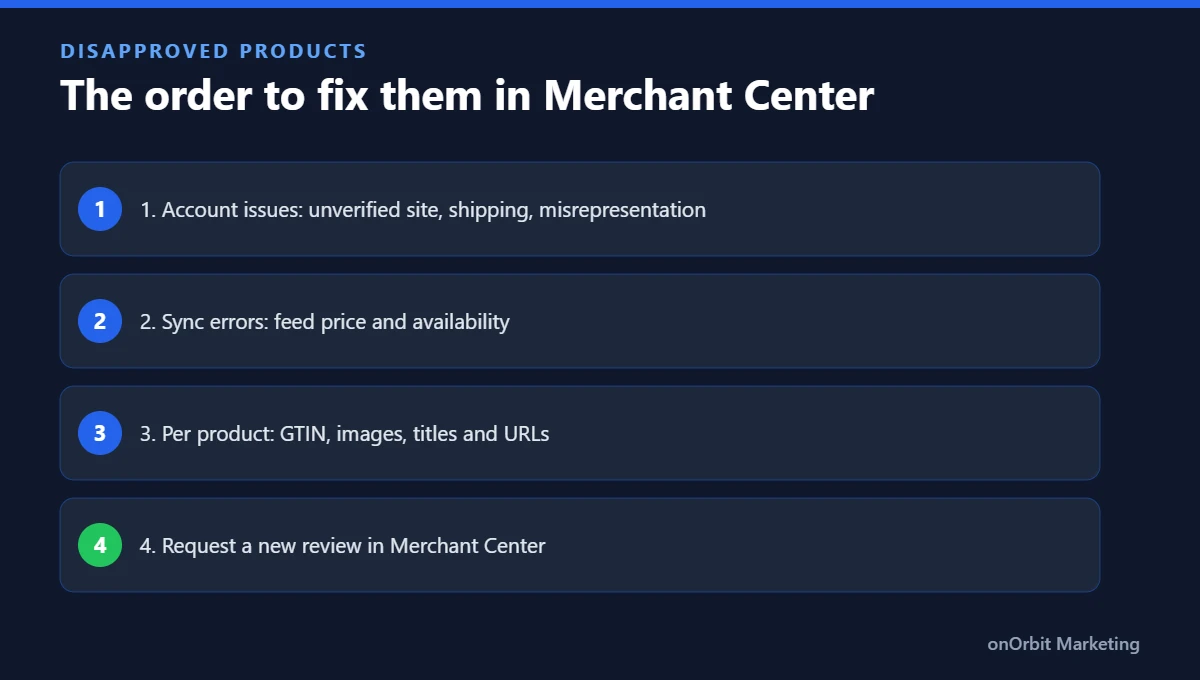
When you have many disapproved products, do not start with the first one on the list. Start with what affects the most products and the most revenue:
- Account-level issues: unverified website, misrepresentation or missing shipping settings affect every product at once.
- Sync errors: price and availability. These are usually fixed in one go by correcting the plugin or app that builds the feed.
- Product-level errors: GTIN, images, titles and URLs, starting with your best sellers.
Once fixed, request a new review inside Merchant Center. Products disapproved for data issues usually return to approved after the next review. Google explains the review process in its help article on product issues and how to fix them.
Outdated feeds: the source of many disapproved products
The feed is the file that connects your shop to Google Merchant Center. If price or stock changes on the site while the feed stays still, disapproved products appear in bulk.
| Platform | How to avoid disapproved products |
|---|---|
| WooCommerce | Feed plugin (e.g. Google Listings & Ads) with automatic sync several times a day |
| Shopify | Google & YouTube app synced with inventory |
| Custom shop | XML or CSV feed built by integration, updated at least daily |
If your site was built by an agency or a freelance developer, also confirm that website verification sits in the business owner’s account, as described in Google’s help on claiming your website.
How to check disapproved products every week
Fixing disapproved products once is not enough. Prices, stock and policies change, so new issues appear every month. A short weekly routine keeps the feed clean:
- Open the diagnostics page in Merchant Center on a fixed day and sort issues by the number of affected products.
- Compare with last week: a sudden jump in disapproved products usually means the feed stopped syncing or a plugin update changed a field.
- Check your best sellers first: make sure the products that bring most revenue are approved and showing in free listings.
- Log every fix: a simple record of what changed helps if Google asks for a review or if the same issue returns.
This routine takes around 15 minutes for most small shops and prevents disapproved products from quietly eating into sales over the busiest weeks of the year, such as Black Friday and Christmas.
When disapproved products lead to account suspension
If the account is suspended for misrepresentation, the problem is no longer one product but the whole business. Treat it as top priority: make sure the site shows contact details, address, returns policy and clear prices, document every fix and only then request a review.
If you already run campaigns, every disapproved product also wastes budget. Once the feed is clean, review how Google Ads top-of-funnel campaigns can bring new buyers to those products.
How onOrbit Marketing can help
onOrbit Marketing is a Portugal-based agency working in English with businesses across the UK and Europe. We treat disapproved products as part of paid traffic management, not as an isolated technical task. Following our Diagnosis, Strategy, Implementation and Optimisation process, we audit the account and feed, fix disapprovals in the order that recovers the most sales, automate syncing and connect the catalogue to Shopping or Performance Max campaigns.
Frequently asked questions
Why was my product disapproved in Google Merchant Center?
Usually the price, availability, image or GTIN in the feed does not match the website, or the product breaks a Google policy. Fix the data and request a new review.
How long does approval take after a fix?
It depends on the issue and the number of products. Data errors are usually cleared after the next review; account-level issues can take longer.
Do disapproved products affect free listings?
Yes. A disapproved product does not appear in free listings or Shopping ads until it is approved again.
How can I prevent disapproved products?
Use a feed with automatic sync, clean images and correct GTINs, and check Merchant Center diagnostics every week.
Got disapproved products in your account?
Book a free consultation and leave with a prioritised list of fixes to get back on Google Shopping.
Sources
- Product issues – Google Merchant Center Help
- Verify and claim your website – Google Merchant Center Help

Alona Stepanova
CEO of onOrbit Marketing | Web Developer & Specialist in E-commerce Growth. Helps SMEs and online stores in Portugal and across Europe grow with web development, SEO, GEO and digital marketing.