
Summary
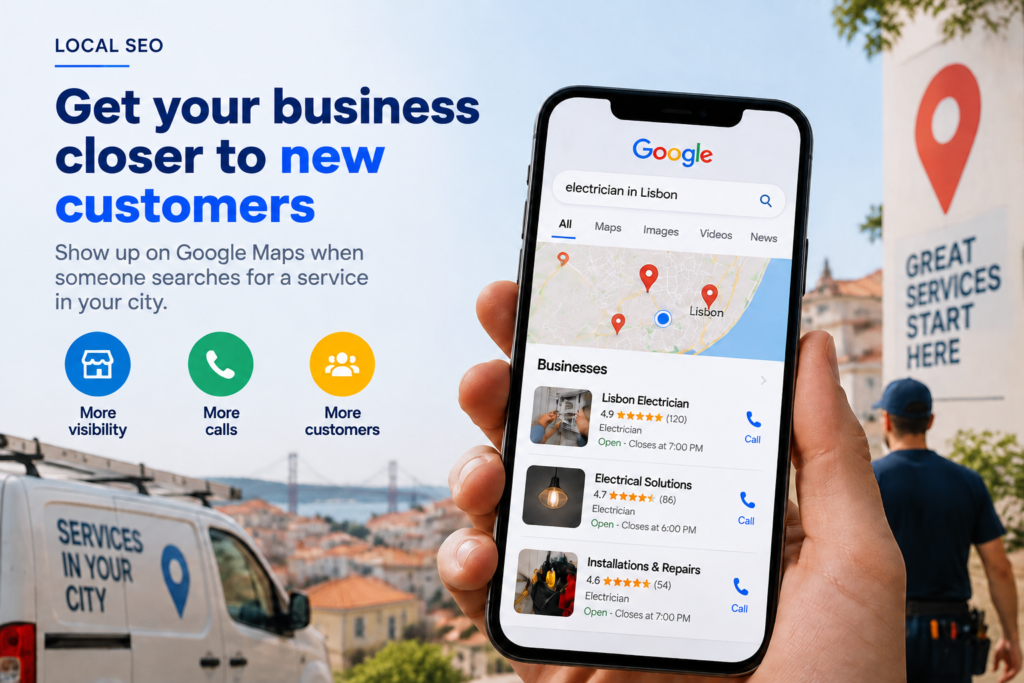
Local SEO for service businesses is the work that gets your company into Google Maps and the three-business map results (the local pack) when someone searches for your service nearby. Google ranks these results on relevance, distance and prominence. You control three levers: your Google Business Profile, your reviews and your website.
- Google ranks local results on relevance, distance and prominence. You cannot change distance, but you can influence the other two.
- A complete Google Business Profile, with the right categories and recent reviews, is the foundation of any local SEO strategy.
- Businesses that serve clients at the client’s premises should hide their address and work on their service area and location pages.
- Keywords in the business name and fake addresses can get a profile suspended: the shortcut costs more than it gains.
- A 90-day plan covering diagnosis, fixes, local content and call tracking produces results you can verify.
Your competitor appears in Google Maps and you don’t, so the call goes to them. Local SEO for service businesses fixes this: it is the work that puts your company in the map results for searches in your area. It rests on three things you control: your Google Business Profile, your reviews and your website.
For a clinic, an estate agency, a law firm or a maintenance company, that map block is often the first thing a prospective client sees. Not appearing means relying on referrals, spending more on ads to compensate and watching younger competitors take the enquiries.
What is local SEO for service businesses and why does it decide who gets the calls?
Local SEO is the optimisation of a company’s online presence for searches with a geographical intent, such as “dentist Manchester”, “physiotherapist Rotterdam” or “accountant near me”. It covers the Google Business Profile (formerly Google My Business), client reviews and the website pages dedicated to each area you serve.
The difference from general SEO is context. Someone searching for a local service usually wants a problem solved soon, so these results tend to trigger direct actions: a phone call, a request for directions or a visit to the website. For a service business, this is traffic close to the buying decision.
How does Google rank businesses in Google Maps?
Google’s own Business Profile help documentation names three factors for ranking local results: relevance, distance and prominence. None works on its own, and only one is outside your control.
| Factor | What it means | What your business controls |
|---|---|---|
| Relevance | How well the profile matches what the person searched for | Primary and secondary categories, services list, description, website content |
| Distance | How close the business is to the searcher or to the location in the search | Very little: your real address and a correctly defined service area |
| Prominence | How well known and trustworthy the business appears | Number and frequency of reviews, replies, mentions and links from other websites, website quality |
This explains why a newer competitor can rank above you. If their profile has the right category, clearly described services and fresh reviews every month, it can outrank a firm with twenty years of history but an incomplete profile and old reviews.
Do more reviews mean a higher ranking?
More reviews help, but they are not the whole story. Google states that more reviews and positive ratings can help local ranking, yet distance still weighs heavily and cannot be changed without moving premises. Reviews are the prominence lever you control most, and how regularly they arrive tends to matter as much as the total: recent reviews show Google and prospective clients that the business is active.
Why does your competitor appear in the local pack and you don’t?
The cause is rarely a single issue. Use this checklist for a quick self-diagnosis; every “yes” is something to fix.
- The profile was never claimed or verified, or nobody in the company knows who holds access.
- The primary category is generic (for example, “Business” instead of “Physiotherapy clinic”).
- Services, opening hours or phone number are incomplete or out of date.
- The most recent review is months old and criticism goes unanswered.
- Your name, address and phone number (known as NAP) differ between your website, your profile and directories.
- The profile links to your homepage rather than to a page about the service or the city.
- Your website is slow on mobile or does not clearly state what you do and where.
- You paid an agency and never received reports on what was done or how many calls the profile generated.
If three or more points apply, the problem is not a lack of ad budget: it is a poorly built local foundation. A free consultation can show which of these gaps is costing you the most enquiries.
How to rank in Google Maps: 7 practical steps
Ranking in Google Maps requires a verified, complete profile, a steady flow of reviews and a website that confirms to Google what you do and where. These are the steps of Google Business Profile optimisation, in order of priority.
- Claim and verify your Google Business Profile. Make sure owner access sits in a company account, not the personal email of a former employee or supplier. Effort: low.
- Choose the right primary category. It is one of the strongest relevance signals. Pick the one describing the service that brings in the most revenue, and add secondary categories only if they are genuine. Effort: low.
- Complete everything. Services with descriptions, opening hours (including bank holidays), phone, website and real photos of your team and premises. Google notes that complete, accurate information makes a profile more likely to appear. Effort: medium, once.
- Build a review process. Ask at the right moment (once the job is done), with a direct link sent by email or SMS. Reply to every review, positive and negative. Effort: ongoing but simple.
- Standardise name, address and phone number. The same details, written the same way, on your website, your profile and the main directories in your sector. Effort: medium.
- Link the profile to a local page. Instead of the homepage, point it to a page about the service in that city. For multi-location businesses, each profile should link to its own location page. Effort: medium.
- Add structured data to your website. Schema.org LocalBusiness markup is code that tells Google, in a machine-readable way, your business type, address and opening hours. Effort: low to medium, technical.
Typical mistakes when doing it
- Buying or swapping reviews. Beyond breaching Google’s policies, fake reviews are a banned practice under the EU Omnibus Directive (Directive (EU) 2019/2161) and, in the UK, under the Digital Markets, Competition and Consumers Act 2024.
- Offering discounts in exchange for positive reviews.
- Researching keywords only in English when clients in the Netherlands, Austria, Denmark or Finland search in Dutch, German, Danish or Finnish. Your profile and local pages should match the language your buyers actually use.
- Treating the profile as a one-off task and never touching it again.
Premises or service-area business: what changes?
A service-area business is one that serves clients at the client’s premises or remotely, without receiving visitors at a public address. Examples include a consultant, a trainer who delivers on site, a cleaning company or a repair technician. Google applies different rules to each case.
| Criterion | Business with premises (clinic, office, shop) | Service-area business (consultant, technician, trainer) |
|---|---|---|
| Address on the profile | Visible, with signage and staff present during stated hours | Must be hidden; you define the area served (cities or regions) |
| Main factor to work on | Real proximity, photos of the premises, reviews | Relevance and prominence: categories, services, reviews, website |
| Location pages | One page per physical location | Useful for the main cities served, if each has its own content |
| Most common risk | Inconsistent details across several locations | Using virtual offices or third-party addresses to “be” in other cities |
Can a service-area business rank without showing an address?
Yes. A service-area business can have a Google Business Profile and appear on the map with its address hidden; in fact, Google’s guidelines require it to hide the address. What it cannot do is create profiles at addresses where it does not serve clients, because that breaches Google’s guidelines and can lead to the profile being removed.
Do location pages work, or are they duplicate content?
Location pages work when they genuinely serve people in that city; they fail when they are copies with the town name swapped. Those copies are known as doorway pages, and Google tends to ignore or devalue them.
| A page that serves the city | A copied doorway page |
|---|---|
| Explains the service with examples or specifics for that area | Same text as every other city, only the name changes |
| States the real team, travel times or local address | Promises a presence the business does not have |
| Shows reviews from clients in that area, where they exist | No local social proof |
| Clean URL (e.g. /physiotherapy-leeds/), listed in the HTML and XML sitemaps | Hundreds of automatically generated pages |
| Near-duplicates handled with canonical tags | Near-identical pages competing with each other |
| Linked from the matching Google Business Profile | Receives no internal or external links |
The practical rule: if you cannot write something useful and specific about a city, that city does not yet deserve a page. Start with the two or three areas that bring in the most revenue. If your current site makes these pages hard to create, the structure needs reviewing, which is web development work, not just a profile fix.
What can get a Google Business Profile suspended?
Suspension happens mostly when a profile tries to look like something the business is not. It is the biggest risk in local SEO and usually comes from shortcuts.
- Keywords in the business name. Writing “Smith Clinic – Cheap Dentist Leeds” instead of the real name. It may bring a temporary boost, but Google can remove the text, force re-verification or suspend the profile.
- Fake or virtual addresses to appear in cities where you have no staffed premises.
- Duplicate profiles for the same location.
- Fake or incentivised reviews, which also expose the business to legal risk in the EU and the UK.
- Sudden, repeated changes to name, category and address without a real reason.
Recovering a suspended profile can take weeks, during which calls from the map stop. If this channel matters to your pipeline, the cost of the shortcut outweighs the gain.
A 30/60/90-day local SEO plan
A well-run local SEO plan follows four phases: diagnose, set priorities, implement and optimise based on data.
| Period | Phase | What happens | What management receives |
|---|---|---|---|
| Days 1-30 | Diagnosis and Strategy | Audit of profile, NAP data, reviews, website and competitors in the map pack; choice of priority services and cities | A list of issues ranked by impact and an action plan |
| Days 31-60 | Implementation | Fixes to profile, categories, services and photos; review process; first location pages; structured data | A complete profile and a working review process |
| Days 61-90 | Optimisation | Tracking calls, direction requests and clicks; content adjustments; new pages where there is demand | A report on enquiries generated and next steps |
Timelines depend on your starting point and the competition in each city. In London, Amsterdam or Vienna, some categories are far more contested than in a mid-sized town.
Should you do it in-house or hire a local SEO agency?
The basic steps can be done in-house if someone has the time and discipline to maintain the profile and ask for reviews every week. What usually breaks down is consistency and the technical side of the website: location pages, structured data, speed and measurement.
The most common fear is repeating a bad experience with an agency that invoiced every month without showing what it did. To avoid it, insist on three things from day one: owner access to the profile always held in your company’s account, a written list of each month’s actions, and reports showing calls and enquiries, not just rankings. Connecting those figures to revenue is where data analysis and reporting earns its place.
How onOrbit Marketing can help
onOrbit Marketing is a Portugal-based agency working with companies across the UK and Europe, with an English-speaking team in the same time zone as the UK. We treat local SEO as one system covering your Google Business Profile, reviews and website. In Diagnosis, we audit your profile, business data across platforms, website and the competitors in the map pack in your cities. In Strategy, we decide which services and areas to prioritise, based on what contributes most to revenue. In Implementation, we fix the profile, set up a review process and build location pages in WordPress with structured data. In Optimisation, we track calls, direction requests and enquiries, and adjust monthly. You keep ownership of every account and receive clear reports on what was done and what it delivered.
Frequently asked questions
How long does local SEO take to show results?
It depends on your starting point and the competition. Basic fixes to a Google Business Profile, such as the primary category or opening hours, can show an effect within a few weeks. Building prominence through regular reviews and local pages takes months. In a city with many competitors in the same category, progress is slower than in an area with few providers, so measure enquiries monthly rather than rankings alone.
How much does local SEO cost per month?
Cost varies with the number of locations, cities and services involved, the current state of your website and the level of local competition. A business with one address and a well-kept profile needs far less work than a network of clinics or offices. The prudent approach is to start with a diagnosis that identifies priorities, then budget for implementation and monthly management based on what it finds.
Does Google My Business still exist?
The service still exists but has been renamed Google Business Profile. You manage it directly from Google Search and Google Maps using the account with owner access. Many people still search for Google My Business, but the core features remain the same: business details, photos, services, reviews and performance data such as calls and direction requests.
How should I respond to a negative Google review?
Reply promptly, calmly and professionally, without revealing any client details, which GDPR also requires. Acknowledge the issue, explain what has been or will be done and invite the person to continue the conversation by phone or email. Your reply is read mainly by future clients, so it should show that complaints are taken seriously. Only request removal if the review breaches Google’s policies.
Can I have a Google Business Profile for every city I work in?
Only if you have genuinely staffed premises at each address, with people present during the stated hours. Creating profiles at virtual offices or third-party addresses to appear in other cities breaches Google’s guidelines and can lead to suspension. A service-area business should keep a single profile with its service area defined and target other cities through useful location pages on its website.
Find out why your business is missing from Google Maps
In a free consultation, we review your Google Business Profile, reviews and website against the competitors appearing in the map pack in your city. You leave with a clear list of priorities, with no obligation.

Alona Stepanova
CEO of onOrbit Marketing | Web Developer & Specialist in E-commerce Growth. Helps SMEs and online stores in Portugal and across Europe grow with web development, SEO, GEO and digital marketing.