
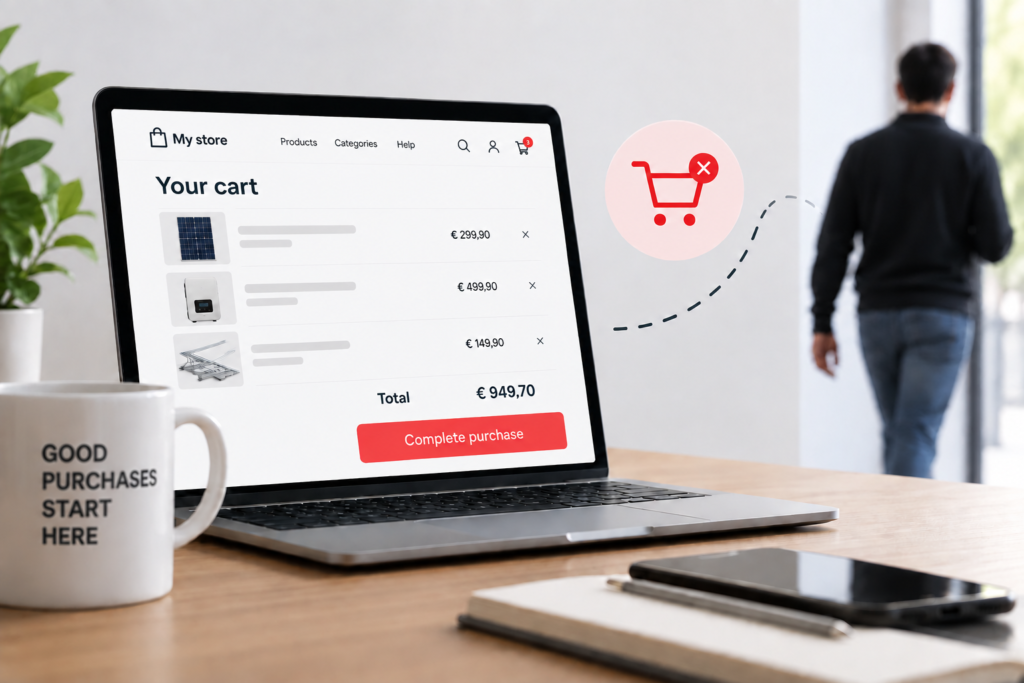
Summary
Cart abandonment is when a shopper adds products to an online basket and leaves without buying. Some of it is normal price-comparison behaviour. The rest comes from fixable checkout leaks: surprise delivery costs, unclear delivery times, weak trust signals, forced account creation, missing local payment methods and technical errors.
- Not all cart abandonment is recoverable: separate people who are just browsing from the leaks your shop can fix.
- Calculate the loss in euros: abandoned carts × average order value × the share you can realistically recover.
- The most common leaks are unexpected costs, unclear delivery, low trust, form friction, missing payment methods and technical errors; fixing these is the fastest way to reduce cart abandonment, as shown by Baymard Institute’s checkout research.
- Offering the payment methods your customers use locally (iDEAL, MobilePay, EPS, MB WAY) is often a low-effort fix.
- Abandoned cart emails help, but they do not replace a leak-free checkout and they need a lawful basis under GDPR.
To reduce cart abandonment, first separate shoppers who were only browsing from those who were stopped by your checkout, then fix the leaks that stop buyers: surprise delivery costs, unclear delivery times, weak trust signals, forced account creation, missing local payment methods and technical errors. Measure before and after each change.
The symptom is familiar to anyone running an online shop. Traffic goes up, ad spend goes up, but orders do not follow. Your WooCommerce dashboard fills with unfinished carts, and mobile sales sit well below what your traffic suggests they should be.
What makes this expensive is that you have already paid for that customer. The Google Ads click, the Meta ad, the SEO work: that money is spent. When the shopper gives up at checkout, you lose a sale that was almost closed, at the very last step.
What is the cart abandonment rate, and how can you reduce cart abandonment?
The cart abandonment rate is the percentage of shopping carts created that do not end in a paid order. It shows how many shoppers with buying intent your shop lets slip away between the basket and the payment.
The formula is simple:
Cart abandonment rate = (1 − completed orders ÷ carts created) × 100
The data can come from Google Analytics 4 (the add_to_cart, begin_checkout and purchase events), from WooCommerce reports or from a cart recovery plugin. What matters is measuring the same way every time, so you can compare your shop with itself over time, by device and by traffic channel.
It is also worth tracking the checkout abandonment rate: shoppers who reached the payment form and then left. High abandonment at the cart stage usually signals doubts about price or delivery costs. High abandonment at checkout points to friction, trust or payment problems.
How much does cart abandonment cost your business?
The real cost of cart abandonment is the revenue from abandoned carts you could win back by fixing checkout leaks. It is not the full value of every abandoned cart, because some shoppers never intended to buy at that moment.
To estimate the loss in euros, use three numbers you already have:
- Abandoned carts per month (carts created minus completed orders), the metric you track to reduce cart abandonment.
- Average order value in your shop, combined with the abandonment rate, helps you reduce cart abandonment costs accurately and prioritise the fixes that matter most.
- Recoverable share: a cautious estimate of the percentage of abandonment caused by fixable leaks, excluding people who were just browsing, so you can reduce cart abandonment based on realistic numbers.
Here is an illustrative example, using fictional numbers purely to show the calculation:
| Variable | Fictional example |
|---|---|
| Abandoned carts per month | 500 |
| Average order value | €60 |
| Total value abandoned | €30,000 |
| Estimated recoverable share (cautious assumption) | 10% |
| Monthly revenue at stake | €3,000 |
Replace these with your own figures. Even with a conservative assumption, the result usually justifies making checkout optimisation a priority: it is revenue that needs no extra traffic and no extra ad budget, just a checkout that stops dropping customers.
Why do customers abandon carts, and how can you reduce cart abandonment?
Customers abandon carts for two underlying reasons: either they were not ready to buy, or they hit an obstacle on the way. The first is normal behaviour you can barely control. The second is the shop’s responsibility, and it can be fixed.
Many shoppers use the basket as a wish list, to see the final price or to compare with another shop. You should not fight that behaviour with aggressive discounts, which eat into margin. Focus instead on the customers who wanted to buy and were stopped.
Self-diagnosis checklist
Answer yes or no, ideally on a mobile phone, the way a customer would:
- Do delivery costs only appear at the last step of checkout?
- Is the delivery time missing from the product page and the cart?
- Do shoppers have to create an account to buy?
- Does the form ask for unnecessary details (date of birth, landline, company fields for private buyers)?
- Are the payment methods your customers use locally missing?
- Is your returns policy hard to find?
- Is checkout slow to load, or does it show errors on mobile?
- Have you had complaints about declined payments or pages that will not move forward?
Every “yes” is a likely leak. Three or more suggest your checkout is consistently costing you sales.
The 6 checkout leaks: diagnosis and fixes to reduce cart abandonment
Checkout leaks are the specific points where a shopper with buying intent gives up. Grouping them into six categories helps you diagnose, prioritise and measure the effect of each fix.
| Leak | Symptom | WooCommerce fix | KPI to track | Effort |
|---|---|---|---|---|
| 1. Unexpected costs | Drop-off when the total appears | Show delivery costs and total in the cart; postcode-based delivery calculator | Cart abandonment | Low |
| 2. Unclear delivery | Customer service questions about delivery times | Estimated delivery date on product and cart pages; carrier and pick-up point options | Abandonment at the shipping step | Low |
| 3. Low trust | New visitors convert poorly | Visible contact details, reviews, clear returns policy, SSL certificate | New-visitor conversion rate | Low to medium |
| 4. Form friction | High abandonment on mobile | Guest checkout, fewer fields, address autocomplete | Time to purchase; checkout abandonment | Medium |
| 5. Payment methods | Drop-off at the payment step | Local payment methods and cards through an integrated gateway | Payment-step abandonment | Low to medium |
| 6. Technical errors | Failed payments, slow pages | Regular test orders, plugin review, speed optimisation | Logged errors; checkout load time | Medium to high |
1. Unexpected costs
Delivery costs that only appear at the end are one of the most common reasons shoppers leave. The customer decides on one price and finds a different one at the last step. Show the full cost as early as possible and, if you offer free delivery above a threshold, show in the cart how much more the customer needs to spend.
2. Unclear delivery
Customers want to know when their order will arrive before they pay. A visible estimated delivery date and familiar options, such as well-known national carriers or parcel lockers and pick-up points, reduce uncertainty.
3. Low trust
An unfamiliar shop has to prove it is real. A registered address, phone number, genuine customer reviews and a simple returns policy carry more weight than generic security badges. For cross-border sales, stating prices in euros including VAT removes another doubt.
4. Form friction
Every extra field is another reason to give up, especially on a phone. Guest checkout (buying without creating an account) should be switched on; you can offer an account after the purchase.
5. Payment methods
Shoppers across Europe expect to pay the way they pay everywhere else, and many prefer a local method to typing in card details. A payment gateway (the service that processes your shop’s payments) that supports those methods and integrates with WooCommerce closes this leak without redesigning the shop.
6. Technical errors
Conflicting plugins, untested updates and slow pages break checkout without anyone noticing. Place regular test orders with every payment method, and treat speed as part of the checkout, not a separate project.
Which local payment methods help reduce cart abandonment in a European checkout?
A European checkout should offer cards plus the local methods your customers in each market already use day to day. Missing a familiar method at the payment step is an avoidable reason to lose a sale, especially for cross-border shops.
| Market | Local methods to consider | Checkout note |
|---|---|---|
| United Kingdom | Debit and credit cards, PayPal, Apple Pay, Google Pay | Wallet payments reduce typing on mobile |
| Netherlands | iDEAL, cards | Show iDEAL prominently if you sell to Dutch customers |
| Denmark | MobilePay, Dankort, cards | Check that your gateway supports MobilePay in WooCommerce |
| Finland | MobilePay, online bank payments, cards | Bank payment buttons are familiar to many Finnish shoppers |
| Austria | EPS bank transfer, Klarna, cards | Pay-later options may suit higher-value baskets |
| Portugal | MB WAY, Multibanco references, cards | Essential if you sell into the Portuguese market |
Use this as a starting point, not a rule. Check your own order data by country and your payment provider’s available methods before adding options: too many buttons can also confuse.
How to reduce cart abandonment: a 30-day plan
To reduce cart abandonment, start with low-effort, high-impact fixes, measure the effect and only then move to bigger technical changes. A 30-day plan avoids the mistake of changing everything at once without knowing what worked.
- Week 1 – Measure. Set up or validate the funnel in Google Analytics 4 (add to cart, begin checkout, purchase), split by device and country. Record your current rate.
- Week 1 – Shop like a customer. Place test orders on mobile and desktop with every payment method. Note each moment of hesitation.
- Week 2 – Costs and delivery. Show delivery costs and times in the cart; review the returns policy.
- Week 2 – Payments. Add the missing local payment methods for your main markets, one of the fastest ways to reduce cart abandonment, according to ConvertCart’s checkout data.
- Week 3 – Friction. Switch on guest checkout and remove unnecessary fields.
- Week 3 – Recovery. Set up abandoned cart emails with an appropriate lawful basis under GDPR, another lever to reduce cart abandonment, especially when used to reduce cart abandonment among high-value shoppers.
- Week 4 – Review. Compare the rate with week 1 and decide on the next technical fixes.
If you would rather have an outside team run this audit for you, you can request a free checkout diagnosis before spending on any changes.
Common mistakes to avoid when you try to reduce cart abandonment
- Installing several checkout plugins at once, creating conflicts and slowing the shop down.
- Sending automatic discounts to every abandoned cart, which teaches customers to wait for the discount, erodes margin and does little to reduce cart abandonment for the long term.
- Changing checkout in peak season without testing, such as during Black Friday or Christmas.
- Tracking only the overall average, which hides that the problem might be only on mobile or in one country; Contentsquare’s data shows device and country breakdowns are essential to reduce cart abandonment effectively.
Abandoned cart recovery emails: do they work, are they GDPR-compliant, and can they help reduce cart abandonment?
Abandoned cart emails are automated messages sent to shoppers who left products in their basket, reminding them to complete the purchase. They work best as a complement to a leak-free checkout, not a substitute for one.
A simple sequence includes a first reminder shortly after abandonment, showing the products with a direct link back to the cart, and a second reminder later that answers common doubts (delivery costs, times, returns). A discount, if you use one at all, should be the exception.
Under the General Data Protection Regulation (GDPR), and UK GDPR for British customers, sending these emails requires a lawful basis and clear information about how personal data is used. Marketing emails are also covered by electronic communications rules: the Privacy and Electronic Communications Regulations (PECR) in the UK and national rules based on the ePrivacy Directive in EU countries. The safest approach is a clear opt-in at checkout, a link to your privacy policy and a check with your legal adviser. A properly configured email marketing setup builds these rules in from the start.
What if changing the checkout breaks the shop?
Changing checkout without a method is risky; changing it with a method is one of the lowest-risk improvements you can make to an online shop. The most common fear is paying for a full rebuild and ending up with a shop that sells less.
Most leaks do not require redeveloping the shop. Showing delivery costs earlier, adding payment methods or removing fields are configuration changes. Larger technical changes should be made first in a staging environment (a copy of your shop), with a backup and outside peak periods. Where deeper work is needed, structured WooCommerce web development keeps the live shop untouched until changes are tested.
The other objection is a bad experience with agencies: proposals with no diagnosis and reports that show nothing. The rule for choosing an ecommerce CRO agency is simple: insist on a diagnosis before any quote, a prioritised list of fixes and a before-and-after measurement for every change. That also answers the question of CRO services cost, because you pay only for the fixes with the highest expected impact.
How onOrbit Marketing can help
onOrbit Marketing is a Portugal-based agency working with online shops across Europe, with an English-speaking team in the same time zone as the UK. We treat checkout as a sales system through our e-commerce solutions and WordPress and WooCommerce development.
- Diagnosis: we analyse your Google Analytics 4 funnel, test checkout on mobile and desktop and identify each leak with its estimated impact in euros, the first step to reduce cart abandonment and build a plan that continues to reduce cart abandonment.
- Strategy: you get a prioritised list of fixes, with estimated effort and a KPI for each.
- Implementation: we set up visible delivery costs, guest checkout, local payment methods for your markets, GDPR-aligned recovery emails and technical fixes in staging.
- Optimisation: we measure before and after and adjust based on the data.
You get an audited checkout, a clear plan and transparent measurement of what changed.
Frequently asked questions
What is a normal rate, and how do you use it to reduce cart abandonment?
There is no single figure that fits every shop. The rate varies by sector, average price, device and traffic source. The most useful benchmark is your own shop: measure your current rate by device, country and channel, fix the priority leaks and track the trend month by month. A sudden rise usually points to a technical problem or a change in prices or delivery costs.
Does guest checkout really reduce cart abandonment?
Forcing account creation is a well-known barrier, especially for first-time buyers and mobile shoppers. Switching on guest checkout in WooCommerce removes that step without losing the customer, because their email is still saved with the order. You can offer an account at the end, with a clear benefit such as order tracking or faster repeat purchases.
Should I offer free delivery to reduce abandoned carts?
Not necessarily. What hurts most is the surprise, not the delivery cost itself. Showing the cost early, on the product page or in the cart, already reduces drop-offs. Free delivery above a minimum order value can work if your margin allows it, because it also encourages larger baskets. Run the numbers with your real margin before deciding, and measure the result.
How much does checkout optimisation cost?
It depends on the current state of your shop. Many fixes are low-cost configuration changes, such as showing delivery costs, adding payment methods or simplifying the form. Technical issues like plugin conflicts or slow pages need more development hours. That is why a diagnosis before any quote matters: it lets you pay only for the fixes with the highest estimated impact on sales.
How do I know whether the problem is on mobile or desktop?
In Google Analytics 4, build or open a funnel exploration with the steps add to cart, begin checkout and purchase, segmented by device category. If mobile drop-off is much higher, likely causes are long forms, small buttons, slow loading or impractical payment methods. Complete the analysis by placing real test orders on several phones and browsers.
Should I sell to other European countries from a single checkout?
Yes, a single WooCommerce checkout can serve several markets if it adapts to each one. Show prices in euros including the correct VAT, offer the local payment methods each country expects, display realistic delivery times per destination and translate key checkout text. Track abandonment by country so you can see where the experience is failing.
Find out where your checkout is losing sales, and start to reduce cart abandonment today
Book a free consultation and we will review your shop’s funnel: where customers drop off, what that means in euros and which fixes to make first. No commitment, and nothing changes in your shop until there is a plan.

Alona Stepanova
CEO of onOrbit Marketing | Web Developer & Specialist in E-commerce Growth. Helps SMEs and online stores in Portugal and across Europe grow with web development, SEO, GEO and digital marketing.